






Ragnarok M: Quick Guide to Rerolling MVP Cards
In Ragnarok M: Classic, securing MVP cards can greatly boost your character’s power and in-game wealth. This guide offers a concise strategy for rerolling MVP cards efficiently, allowing beginners to acquire these valuable items in about five minutes. Follow the steps in order to ensure a smooth rerolling process. Skipping any step may lead to delays or failure. Have questions about guilds, gameplay, or our product? Join our Discord for discussions and support!
Level Up Your Account to 10 Quickly
Start by creating a new account or using an alternate character to speed up progress. Head straight to the frontier area and focus on reaching level 10 rapidly. Participate in the “New Beginnings” event to obtain a Meteoric Chain, which boosts experience gain and helps you hit level 10 in 3 to 4 minutes. This item is essential for accelerating your leveling speed and avoiding delays during rerolling.
Enter Active Redeem Codes
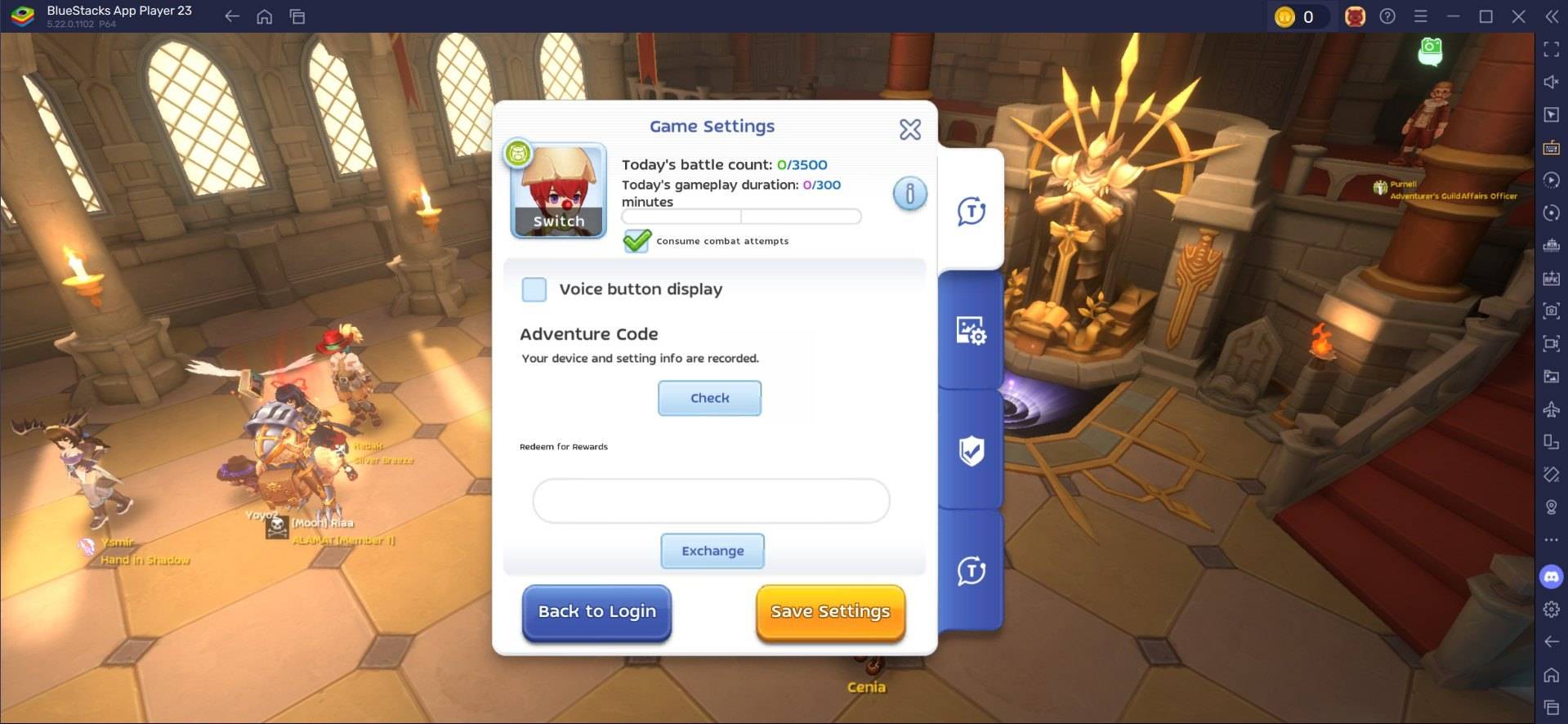
Once at level 10, access the settings menu to input active reroll codes. Enter them carefully, as these codes are time-sensitive and require precision to work. If a code fails initially, retry until it’s accepted. After validation, claim all rewards. For a full list of active codes, check our blog.
Trade or Sell Your MVP Cards
After obtaining a valuable MVP card, head to the in-game Exchange to sell or trade it. High-value cards like Moonlight Flower can fetch 20,000 to 30,000 Zeny from buyers. Features like Ghost Trading can further increase profits from certain cards. By following this structured approach, players can efficiently reroll for MVP cards in Ragnarok M: Classic, enhancing both gameplay and in-game wealth.
Speed Up Rerolling with BlueStacks Features
Playing Ragnarok M: Classic on PC with BlueStacks improves your gaming experience and streamlines rerolling with its powerful features. The Multi-Instance Manager lets you create multiple instances, each acting as a separate Android device. Clone the current instance to avoid reinstalling the game for each one. Once you’ve set up enough instances for your device to handle, sync them and designate the original as the “master instance.”
This feature lets you control all instances by performing actions on the master instance. Execute the rerolling process on the master instance, and watch it replicate across others. Use guest accounts for this process, and once rerolling is complete, bind the account to save progress.
Enjoy Ragnarok M: Classic on a larger PC or laptop screen with BlueStacks, using your keyboard and mouse for better control.
-
 Dec 25,24Zenless Zone Zero 1.5 Update Preview Zenless Zone Zero Version 1.5 Update: Leaked Banner Characters Revealed New leaks for Zenless Zone Zero unveil the character lineup for the upcoming Version 1.5 update, including highly anticipated character reruns. This HoYoverse action RPG continues to expand its roster of powerful characters, fr
 -
 May 06,25Magic Chess: Beginner's Guide to Mastering Core Mechanics Magic Chess: Go Go, an exhilarating auto-battler strategy game crafted by Moonton, is deeply rooted in the vibrant universe of Mobile Legends. This game masterfully blends chess tactics with hero-based strategies, offering players the chance to craft formidable team line-ups featuring heroes from th
 -
 Apr 08,25Top Free Fire Characters 2025: Ultimate Guide Free Fire, crafted by Garena, has cemented its status as a top-tier battle royale game worldwide, amassing over 1 billion downloads on the Google Play Store and engaging millions of daily active players. Its appeal lies not only in its thrilling gameplay but also in its diverse array of characters,
 -
 Jan 18,25Roblox Grace: All Commands and How to Use Them Grace 游戏指令速查 所有 Grace 指令 如何使用 Grace 指令 Grace 是一款 Roblox 游戏,玩家需要在充满恐怖生物的各个关卡中生存。游戏极具挑战性,需要玩家快速反应并寻找对抗敌人的方法。幸运的是,开发人员添加了测试服务器功能,玩家可以使用聊天指令来简化游戏,召唤敌人,或进行游戏测试。以下列出了 Grace 游戏中的所有指令以及使用方法。 所有 Grace 指令 .revive:复活指令,用于在失败或卡住时重新进入游戏。 .panicspeed:修改计时器速度。 .dozer:召唤 Dozer 实体。 .main:进入主分支服务器。 .slugfish:召唤 S