






PrintSmash

 |
Latest Version | 3.15.0.137 |
 |
Update | Apr,21/2024 |
 |
OS | Android 5.1 or later |
 |
Category | Tools |
 |
Size | 21.00M |
| Tags: | Tools |
-
Latest Version
3.15.0.137
-
Update
Apr,21/2024
-
 Developer
-
OS
Android 5.1 or later
-
Category
Tools
-
Size
21.00M


 Download(3.15.0.137)
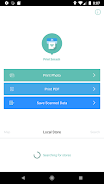
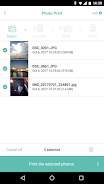
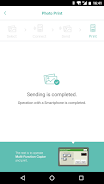
PrintSmash is an application that allows users to print photos and PDF files stored on their Android devices through a SHARP multi-functional copier installed in convenience stores. The app utilizes Wi-Fi communications to establish a connection between the device and the copier. The main specifications of the app include support for file formats such as JPEG, PNG, and PDF (excluding encrypted or password-protected PDFs). Users can register up to 50 JPEG and PNG files and up to 20 PDF files (each PDF file must be less than 200 pages). In case the uploaded file has more pages than the number of printable pages, users can select the range of pages to be printed in several batches. The app allows for the transmission of files less than 30MB for one file or less than 100MB in total for multiple files. Additionally, PrintSmash supports scanning of files in JPEG and PDF formats, with a limit of 20 JPEG files and 1 PDF file. It is important to note that uninstalling the PrintSmash app will delete all saved scanned data.
PrintSmash is an application that allows users to print photos and PDF files from their Android devices and save scanned data on a SHARP multi-functional copier in convenience stores using Wi-Fi communication.
The main specifications of PrintSmash are as follows:
- Supported file formats for printing include JPEG, PNG, and PDF (encrypted or password-protected PDF files are not supported).
- Users can register a total of 50 files in JPEG and PNG formats, and 20 PDF files (each PDF file should be less than 200 pages). If the uploaded file has more pages than the printable pages, users can select the range of pages to print in multiple batches.
- The maximum file size allowed for transmission is 30MB for one file and 100MB in total when transmitting multiple files.
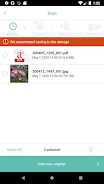
For scanning, PrintSmash supports JPEG and PDF file formats. Users can scan a total of 20 JPEG files and 1 PDF file. The size of the scanned data may vary depending on the settings, so users need to consider the remaining storage space. If PrintSmash is uninstalled, all saved scanned data will be deleted. However, users can use the "Share" feature in other apps to copy the data.
-
 阿杰爱打印非常方便!小区便利店里的夏普打印机总算能用上了。传照片和PDF打印速度很快,就是偶尔会断开连接,希望稳定性再优化一下。给个四星支持!👍